
After nearly 21 years, Gmail is finally letting users do something long considered impossible: change their email address without creating a brand-new account.
If this rolls out widely, it solves a real-life problem a lot of people have: old usernames from high school, name changes, privacy concerns, and the awkward reality that your Gmail address became your identity across Google services like YouTube, Drive, Maps, and more.
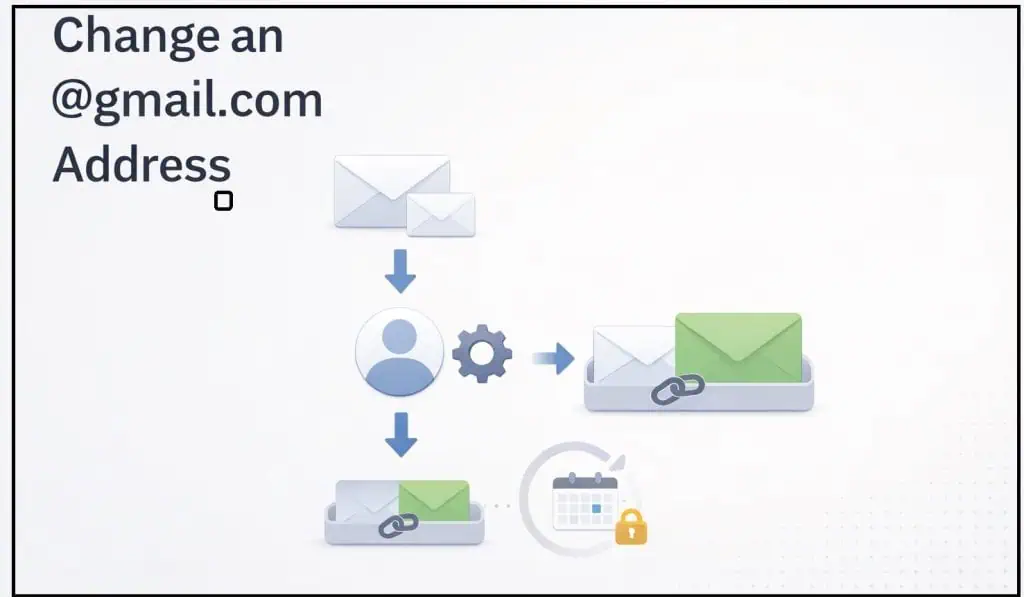
What’s changing
Google’s Hindi version of its official help page now describes a new option that lets you replace your current Gmail address with a new @gmail.com address (a new username) on the same Google Account. The English help page still says Gmail addresses “usually can’t” be changed, which is why this looks like a gradual rollout rather than a fully launched feature.
When you make the switch, your old address becomes an alias — you’ll receive mail sent to both addresses in the same inbox, keep your existing Google data (Gmail, Drive, Photos, messages), and you’ll be able to sign in using either the old or new address.
Key limitations
Google also puts some tight guardrails around the change:
- Your old Gmail address becomes an alias and stays yours (nobody else can take it).
- After switching, you’re locked for 12 months: you can’t create another new Gmail address for that account and you can’t delete the new address during that period.
- There’s a cap on how many times you can do this: up to 3 changes total (meaning up to 4 addresses tied to the account including the original).
Things that may look weird at first
Even after you change it, Google says your old address can still show up in places that were created before the switch — for example, some older Calendar items may not update immediately. You can also still send email from the old address.
How to check if you have it
If your account is included, the option should appear at:
Google Account → Personal info → Email → Google Account email
If you can’t open that setting or don’t see the edit option, it likely hasn’t reached your account yet.
What’s still unclear
Google hasn’t done a big English-language announcement yet, and the detailed instructions are appearing first (or most clearly) in Hindi — so we don’t know exactly which countries get it first or how fast it expands. But the fact that it’s showing up in Google’s own help documentation is a strong sign this is real and in-flight.
